New Tool: July 29, 2026
Subject: New Broadcast Templates
We're happy to announce that our team has recently released a
New Broadcast Template experience!
This new tool is found by clicking a new TEMPLATES button that can be found in the upper right hand corner of the Broadcast Schedule page of every account.
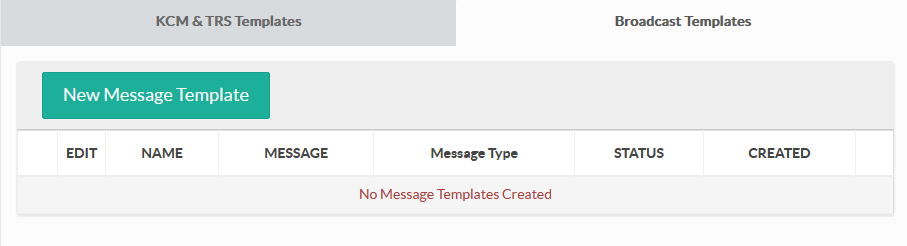
The new Broadcast Template option is a significant advancement over the legacy Message Templates in a variety of ways. Where the legacy Message Templates were limited to SMS only and supported only 2 advanced options (coupons and personalization), the new Broadcast Templates contain all of the bells and whistles enjoyed when sending a broadcast.
| Feature | Legacy Template | Broadcast Template NEW |
|---|---|---|
| SMS Messages | ✓ | ✓ |
| MMS Messages | — | ✓ |
| Long SMS (Concatenated) | — | Code Support Required* |
| Designate Keywords | — | ✓ |
| Designate Recipients | — | ✓ |
| Coupons | ✓ | ✓ |
| Message Personalization | ✓ | ✓ |
| Inbound Reply Options | — | ✓ |
| Data Capture | — | ✓ |
| Emojis | — | ✓ |
| Short URLs | — | ✓ |
| vCards | — | ✓ |
| Save Broadcast to Template | — | ✓ |
| Schedule Broadcast From Template | — | ✓ |
*Access to Long SMS (aka Concatenated SMS) is limited to supported messaging codes. Contact support for more information.
Rather than simply creating a message to be dropped into future texts, the new Broadcast Template allows for scheduling a message directly from the template. And it allows users to create a template when a new broadcast has been scheduled!
Applying a new Template to a broadcast works the same way as the legacy Message Templates. Simply click the Templates icon when composing a broadcast and use the available drop down menu to insert the desired text to the composer.
Please click the TEMPLATES button from the Broadcast Schedule and take this new tool for a test drive. We hope that you'll enjoy this new option and share your feedback.
As always, contact support if any questions or concerns arise. We're here to help!